What I've built on this blog, and why
Contents
I've previously written about how I rebuilt this website, taking it from a fairly heavy, needy and expensive to host WordPress site, down to a lightweight, pared back, minimalist and cloud native site. The first release was very light: a simple blog feed, about page and auto-posting to Mastodon for new posts.
Since then I've been making small tweaks and trying to walk a fine line between adding functionality that genuinely interests me and the desire to keep it lightweight and minimalistic. Quite a few of these new features are 'hidden' or invisible to users, and that is by design. And because they are hidden or not immediately obvious, I thought I'd do a quick write up on what I've built and why.
Starting point
The rebuild post covered the technical choices: Next.js, Markdown files, no database, Vercel for hosting. There is no database powering the content on this site on the backend - that was a deliberate decision and it forces feature and design decisions downstream. While it makes things simpler to design, build and maintain, the tradeoff is that anything requiring a persistent state (like follower lists and counts, managing email subscribes, engagement snapshots) has to live somewhere. For those, I've used a lightweight key-value store (KV). A KV store is simpler than a database: a key maps to a value, no schema, no migrations, no joins. For things like a follower list or a set of email addresses, that's all you need.
ActivityPub and the fediverse
Connecting the blog to the fediverse via ActivityPub is the feature I'm most interested in. I've written before about why I think that is important.
What it does: anyone on Mastodon or any other ActivityPub platform can search for @Pat@radomski.co.nz, follow it, and new posts appear in their timeline automatically. The blog is a first-class fediverse actor, not a cross-poster. The difference matters because follows, replies, boosts, and likes all happen at the protocol level rather than through a third-party API.
What it involved: an actor endpoint, an inbox handler, HTTP Signature verification for incoming activities, signed delivery to followers on publish, and a KV-backed follower list.
The protocol works across implementations and across platforms, so it isn't restricted to just one provider and should be flexible as new servers and platforms are developed overtime.
Email subscriptions
Mailchimp or similar would be the obvious choice: sign up, paste in a widget, done. But that means handing readers' email addresses to a third party whose business model is not aligned with mine, and whose interface will eventually offer them something they didn't ask for.
The implementation: double opt-in with a 24-hour confirmation link stored in KV, individual SMTP sends so no address ever appears in a BCC list, one-click unsubscribe using a stable HMAC derived from the address itself so there's nothing extra to store, and Forward Email for the SMTP relay since they're privacy-first and inexpensive.
The result stores one thing per subscriber: their email address, which are then only used to send the notifications.
Mastodon comments and engagement
Mastodon replies appear at the bottom of every post because when a post is published, the CI workflow resolves the resulting ActivityPub Note on mastodon.nz and caches its local ID in KV. The comment component fetches that cached ID, calls the mastodon.nz API for the thread, and renders whatever replies exist.
For posts published before the current setup, I backfilled the Mastodon URLs manually. For posts with no personal toot at all, the component falls back to AP-native interactions stored in KV from the inbox handler.
The engagement counts in the post header work the same way: a KV snapshot updated on publish, fetched client-side on load, so the page stays static and counts update without a rebuild. The whole thing is a slightly elaborate way of avoiding a comment database and all the hassle that comes with that: user signups, integrating with another provider, spam management etc. The other upside is that it drives people to at least have a look at federated social media. Who knows, maybe a few people will decide they want to jump on board too.
The /follow page
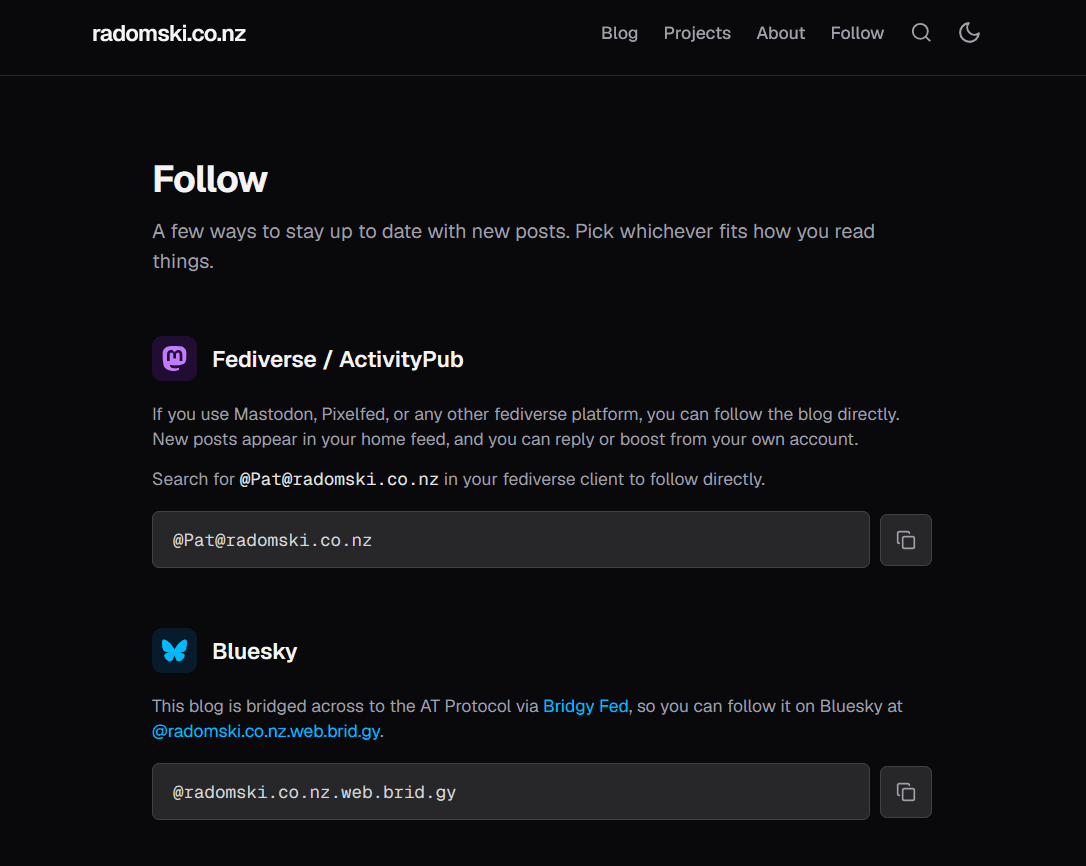
/follow exists because there are three meaningfully different ways to follow the blog and none of them have the kind of UX that makes them obvious to someone who hasn't encountered them before. I wanted a clear, easy to understand explanation of all the different ways to follow along and let users decide which (if any) are best for them.
The page tries to explain each option honestly without ranking them. ActivityPub first because it's the most interesting and needs the most explanation. Email second with the full privacy statement inline, because that's the thing people are most likely to be sceptical about. Feeds third with copy buttons, because anyone looking for those already knows what they are.
Feeds
There are two machine-readable feeds: RSS at /feed.xml and JSON Feed 1.1 at /feed.json. Both advertise the Google WebSub hub, which means feed readers that support WebSub get a push notification on new posts rather than polling on a schedule. The publish CI workflow pings the hub after each new post.
I'm not sure how many readers the JSON Feed reaches that the RSS doesn't, but it's a better format and the maintenance cost is zero, so it seemed worth having.
Search, series, and navigation
Search is client-side: a filtered view of all post metadata. This approach means that we have no server round-trip and the query is synced to the URL so results are shareable. It's fast enough that there's no perceptible latency, but that is really only due to the low number of posts currently in the blog. There is a point where the blog itself becomes too heavy for this type of search, and I'll need to revisit it at that point - some time around the 100 post mark.
I've added the ability to link blog posts into 'series'. This allows users to follow along with posts that tell a story or get updates over time. This post is part 4 of the website series - so if you were interested in reading the whole story from the start, you could follow along. For posts with changing information or data (like the Wellington traffic data posts), this could prove to be important. Series navigation links posts that share a series: frontmatter value with prev/next links and a part counter. The nav renders automatically once two or more posts share a series value, so adding to a series is one line of frontmatter.
The table of contents is opt-in via toc: true in frontmatter. It generates from ## and ### headings, renders as a collapsible block above the post body, and starts open. Useful for longer posts; invisible for shorter ones.
Analytics without the creep
The site uses the open source and self-hosted Umami for analytics, which importantly never uses cookies or tracks individuals across sessions. I've created 'custom events' to cover the things I actually want to know about: search queries (with result count), scroll depth milestones (50% and 90%), share method (native share sheet or clipboard), which follow options people copy, and email subscribes, but I've gone out of my way to ensure that analytics is lightweight, unobtrusive and respects people's privacy.
Things I didn't build
I've made clear decisions to restrict the 'moving parts' of the website in an attempt to make it easy to maintain, cheap and to reduce the surface area of what can go wrong or be attacked. So there are no admin interfaces, authentication, social logins, databases, cookies, server-side reporting or heavy scripting. The real beauty of building something like this from the ground up is that you can make those decisions and stick to them.
Building with AI tools
I'm not the greatest with coding, so I've built all of this using Claude Code. I've managed that process using a CLAUDE.MD file where I've updated the context across sessions to ensure we are keeping to the decisions and conventions I've decided on at the start. I've created specific skills to review changes and blog posts, but most importantly, I've been involved in every decision made along the way.
This context management is key. A well-maintained CLAUDE.md means every session starts from a shared understanding of what the site is, how it works, and what the conventions are. Without that, each session would be re-deriving the same context. The file is basically a spec that the AI reads before doing anything, which is also a good discipline for being clear about what the site actually is.
What comes next
I build this and other projects for fun and to learn. From a practical point of view, the blog and platform is done - there isn't anything else to add. Maybe I add a few more ways to follow along or interact - WebMentions, better reply integration, anything new and shiny that gets added to the fediverse over the next few years. And there are a few small things to tweak or change once the number of posts increases - an archive page and updating how search works. But apart from that, I think I'm done.
More posts
3 min read
Connecting to the fediverse
This blog is now on the fediverse. No algorithm, no intermediary, no one else's platform. Here's why that matters and how to follow along.
3 min read
I rebuilt my website (again)
After two years on WordPress and AWS Lightsail, I rebuilt the site using Next.js, Vercel, and GitHub. No database, no CMS, just Markdown and deploy.
7 min read
I Let an AI Build My App. Two Years Later, I Asked Another AI to Fix It.
In 2024 I used Lovable (then GPT Engineer) to build a hobby weather app in an afternoon. In 2026 I finally looked at what it had actually generated. The findings were instructive.
Replies
Loading replies…